Game Server Manager
Publisher Description
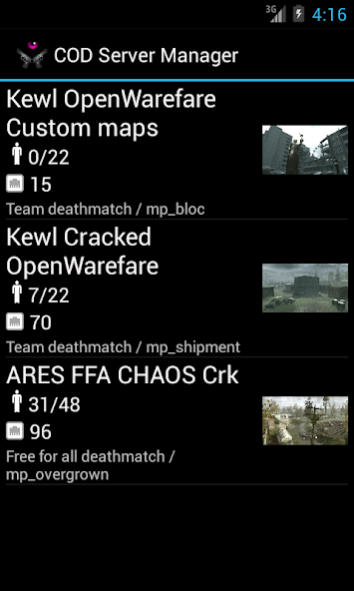
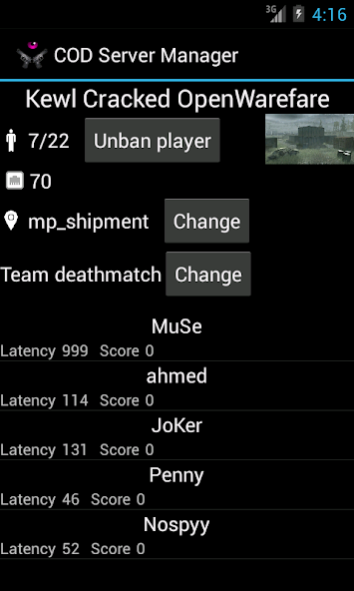
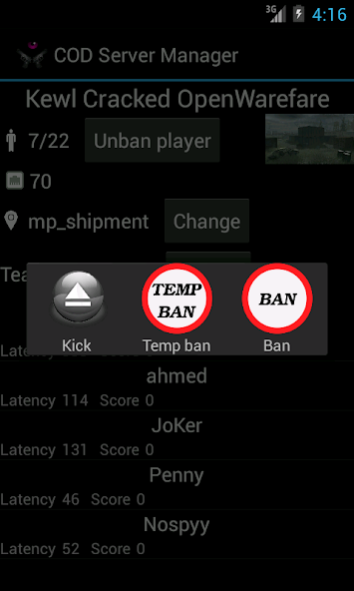
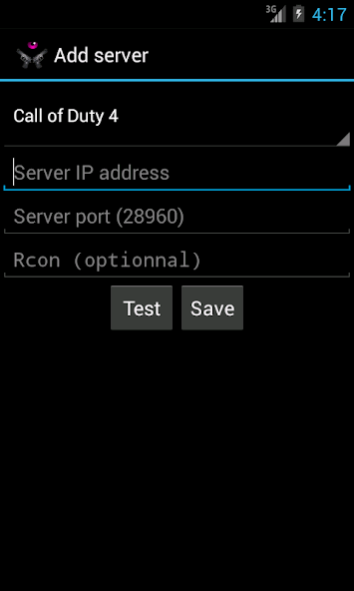
Game Server Manager let you check the status of your favorite Call of Duty, CS GO, CS Source and Team Fortress 2 servers.
You will be able to see for each server their name, ping, player count, max player, currently playing map and the player list.
If you have the RCON of the server, you can also entirely manage the server : change map, change gametype, kick player, temporary ban player, permanently ban player, unban player, etc. You also have full access to the server console.
Supported games :
- Call of Duty
- Call of Duty 2
- Call of Duty 4 with RCON support
- Counter-Strike Global Offensive with RCON support
- Counter-Strike Source with RCON support
- Counter-Strike 1.6 with RCON support (and all HLDS games like TFC)
- Left 4 Dead 1 & 2
- Team Fortress 2 with RCON support
Feature requests and bug reports are welcomed.
About Game Server Manager
The company that develops Game Server Manager is dentier. The latest version released by its developer is 1.0 . This app was rated by 2 users of our site and has an average rating of 4.0.
To install Game Server Manager on your Android device, just click the green Continue To App button above to start the installation process. The app is listed on our website since 2018-04-06 and was downloaded 111 times. We have already checked if the download link is safe, however for your own protection we recommend that you scan the downloaded app with your antivirus. Your antivirus may detect the Game Server Manager as malware as malware if the download link to fr.dedikewl.gsm is broken.
How to install Game Server Manager on your Android device:
- Click on the Continue To App button on our website. This will redirect you to Google Play.
- Once the Game Server Manager is shown in the Google Play listing of your Android device, you can start its download and installation. Tap on the Install button located below the search bar and to the right of the app icon.
- A pop-up window with the permissions required by Game Server Manager will be shown. Click on Accept to continue the process.
- Game Server Manager will be downloaded onto your device, displaying a progress. Once the download completes, the installation will start and you'll get a notification after the installation is finished.
Program Details
System requirements
Download information
Pricing
Version History
version
posted on 2018-04-06
Add CS 1.6 server support (and all HLDS games)
version 2.4
posted on 2017-06-09
You can now manage L4D 1 & 2 servers
version 2.2
posted on 2016-08-19
I have added server console support ! You can now send your own custom commands to the server.,There are also a lot of changes everywhere in the code, I hope I haven't broken the app :) but theses changes were necessary for having a cleaner code. And that mean the end of Android 2.2 support, you need to have 2.3.,Random small changes :,- more map images (tf2, CSGO),- minor layout changes
